
Ready to skyrocket your WordPress skills even further? The original Advance WordPress Mastery Kit was just the beginning. Now, with this exclusive upgrade package, you’ll unlock over 80 advanced video tutorials designed to help you build high-converting websites without any coding. This is a digital download product with full private label rights (PLR) – meaning you can rebrand, resell, and keep 100% of the profits. Instant access after purchase!
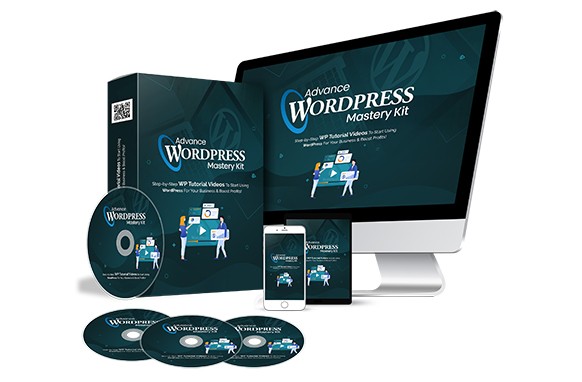
Dive into 80 brand‑new, step‑by‑step training videos that continue where the basic package left off. Each video is recorded over‑the‑shoulder, screen‑captured, and clearly explained – you’ll see every click and learn how to fine‑tune WordPress settings for maximum conversions. No prior coding knowledge required!
We’ve covered everything you need to take your WordPress mastery to the next level. And the best part? This upgrade comes with unrestricted PLR / MRR rights – you can do literally anything with it: sell it, give it away, modify it, or keep it as your own.
NOTE: This product has an “unrestricted” PLR license which means you can do “anything” you want with it.
Here’s the complete video training curriculum (80 detailed lessons):
NOTE: This video training course continues on from the first edition which can be found at Advance WordPress Mastery Kit.
Video 21 – Reading Settings
Video 22 – Discussion Settings
Video 23 – Permalink Settings
Video 24 – How to add a favicon
Video 25 – How to edit Author Profile
Video 26 – How to setting gravatar
Video 27 – WordPress Theme Overview
Video 28 – Find theme on wordpress theme library
Video 29 – How to use filter to find the perfect theme
Video 30 – How to install and activate the theme
Video 31 – How to find the best theme
Video 32 – Best free theme source
Video 33 – How to upload and activate the theme
Video 34 – WordPress Plugin overview
Video 35 How to add plugins from WordPress plugin repository
Video 36 – How to install the plugin from 3rd party site
Video 37 – WordPress Widgets overview
Video 38 – Site menu overview
Video 39 – How to add site menu
Video 40 – WordPress posts overview
Video 41 – How to use the classic editor
Video 42 – How to prevent spam on WordPress
Video 43 – How to insert tags
Video 44 – How to create categories
Video 45 – How to insert feature images
Video 46 – How to schedule a post
Video 47 – How to resize an image
Video 48 – How to customize your homepage with page
Video 49 – Page vs post
Video 50 – Make your website using SSL HTTPS
Video 51 – How to make your website fast
Video 52 – Auto share to social media for your new WordPress content
Video 53 – What is WordPress Jetpack
Video 54 – How to install WordPress Jetpack
Video 55 – WordPress jetpack Dashboard
Video 56 – How to get notified when your site goes offline with Jetpack
| LICENSE: | |
|---|---|
| FILE SIZE (MB): | 26.9 |
| PRODUCT TYPE: |
Related products

Affiliate Marketing PLR

SEO and Promotion PLR

Affiliate Marketing PLR

Affiliate Marketing PLR

Affiliate Marketing PLR
SEO and Promotion PLR

Affiliate Marketing PLR

Affiliate Marketing PLR
 English
 German
 Italian
 French
 Spanish
 Portuguese
