

Unlock a complete library of 20 step-by-step, over-the-shoulder video tutorials that show you exactly how to harness digital and AI tools for personal and business journaling and documentation. This is a fully digital product with Private Label Rights (PLR) and Master Resell Rights (MRR) included, so you can rebrand, sell, or use the content as your own.
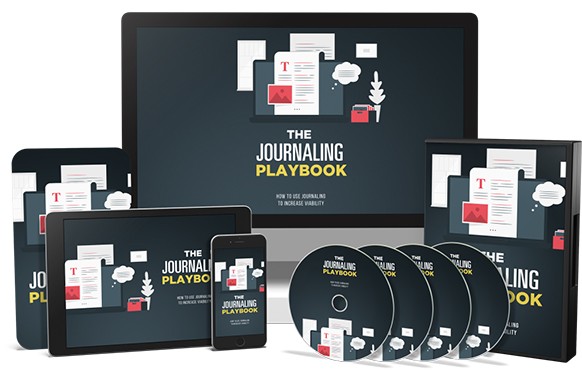
Here’s exactly what you’ll learn inside this exclusive video-and-audio collection:
1 – Download Customizable Canva Journal Templates
2 – Open a PDF Journal Page in Microsoft Edge
3 – Dictate Notes Effortlessly into OneNote
4 – Use Microsoft Word for Journaling and Documentation
5 – Archive Your Entries with Free Cloud Tools
6 – Create a Personal Journal on iPhone
7 – Keep Your Apple Journal Private and Secure
8 – Record Audio Entries in Apple Journal
9 – Dictate Text into Apple Journal Using Voice Commands
10 – Install Microsoft Journal for Handwritten Notes
11 – Build a Written Document in Microsoft Journal
12 – Transcribe Existing Content with Microsoft Word
13 – Get Started with Daybook for Digital Journaling
14 – Add Entries to Your Daybook Account
15 – Use Goodnotes on a Tablet for Journaling
16 – Handwrite an Entry in Goodnotes
17 – Type Directly into a Goodnotes Entry
18 – Import a Canva PDF Template into Goodnotes
19 – Publish Your Journal Creation on Kindle
20 – Share Your Custom Canva Journal Templates with Others
Your complete package includes these ready-to-sell modules:
Full Video Training
Audio-Only Versions for On-the-Go Learning
Clean Transcripts for Quick Reference
| LICENSE: | |
|---|---|
| FILE SIZE (MB): | 118.3 |
| PRODUCT TYPE: |
Related products
Affiliate Marketing PLR

Affiliate Marketing PLR

Affiliate Marketing PLR

Affiliate Marketing PLR

Affiliate Marketing PLR

Affiliate Marketing PLR
Affiliate Marketing PLR
Affiliate Marketing PLR


